Comprehensive diagnostic tool for Surface devices
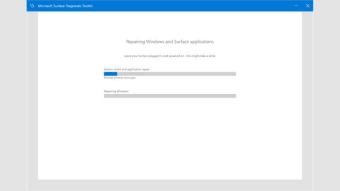
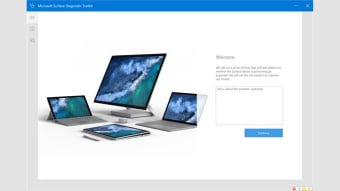
Surface Diagnostic Toolkit is a utility that helps users identify and resolve hardware and software issues on Microsoft Surface devices. It offers diagnostic tests for components such as the battery, touchscreen, cameras, Wi-Fi, and system firmware. By systematically evaluating each element’s health and functionality, the toolkit assists in detecting potential problems that could impact overall device performance and usability.
Top Recommended Alternative

Surface Diagnostic Toolkit is a user-friendly program that guides users through step-by-step hardware and software testing. With automatic scans and manual options, it provides clear feedback and suggested actions, making troubleshooting, maintenance checks, and issue resolution accessible without advanced knowledge.
Surface device health checks
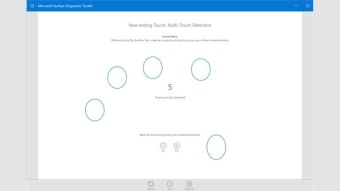
Surface Diagnostic Toolkit performs detailed checks on Surface hardware components, including the battery, touchscreen, cameras, keyboard, and storage devices. Each test evaluates performance, connectivity, and response times to ensure components function correctly. Any detected anomalies are clearly flagged, with guidance provided for corrective action, helping users address potential issues early and maintain optimal device performance, reliability, and overall system health across various usage scenarios.
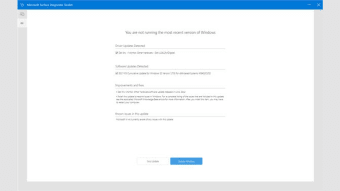
In addition to hardware, the toolkit evaluates essential software functions, including system updates, network connectivity, and firmware versions. These checks ensure that the operating system and drivers are functioning correctly, supporting overall device stability. By combining comprehensive hardware and software diagnostics, the toolkit provides users with a detailed and reliable overview of their Surface device’s health, helping identify potential issues and maintain optimal performance.
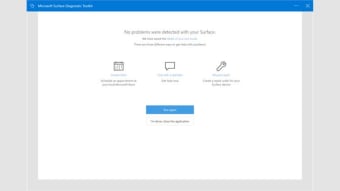
The application generates clear, detailed reports summarizing all test results and provides recommendations for repair or maintenance when necessary. Reports can be saved for personal records or shared with technical support. While the toolkit is accessible to users with limited technical experience, it does not automatically resolve issues, and its functionality is restricted exclusively to Microsoft Surface devices. This makes it a diagnostic, not a repair, tool.
Reliable surface support tool
Surface Diagnostic Toolkit offers a comprehensive and accessible solution for evaluating the health of Surface devices. Its combination of detailed hardware and software diagnostics, clear reporting, and intuitive interface makes it suitable for both casual users and IT support personnel. While it does not perform repairs, the toolkit provides valuable insights into device performance, highlights potential issues, and helps users make informed decisions about maintenance or troubleshooting.